Access Documentation
SDK
FinAuth Premium
Access Guide
Access Guide
# Integration Guide FinAuth Premium
# Integration Guide
This SDK is the Premium liveness verification SDK provided by Yuanli Jinzhi. We recommend integrating the product as follows.
| Scenario | Integration steps |
| Face comparison | 1. Obtain `api_key` and `api_secret` from the FinAuth console, and bind your application Bundle in the application configuration. |
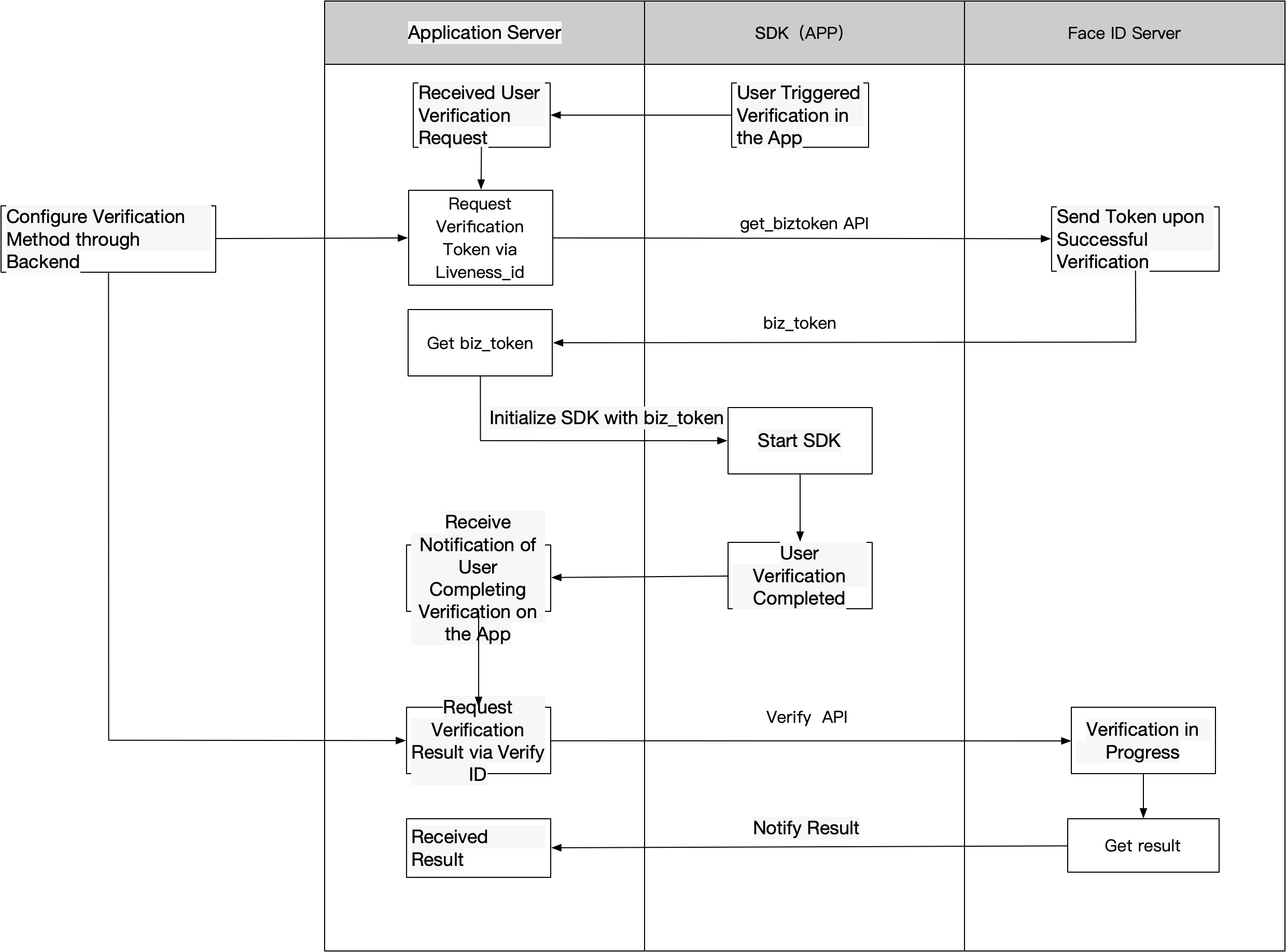
| 2. Call the Get Token API to obtain a `biz_token`. When calling, refer to the Authentication API to generate the `sign`, and configure in the console the `liveness_id` corresponding to the liveness configuration required for this call. | |
| 3. Initialize the SDK liveness page with the `biz_token`. The user completes the liveness verification flow, and after the user finishes, the SDK notifies the app of the status. Please download the SDK from the console and refer to the integration documentation. | |
| 4. When the app receives the SDK's notification that the user has completed liveness, the server can call the Liveness API with the `biz_token` to obtain the liveness result only (optional). | |
| 5、5. When the app receives the SDK's completion notification, the server calls the Verify API with the `biz_token`, uploading the reference image of the person to be verified, the `verify_id` (obtained from the console), and other information to perform face comparison and obtain the liveness verification result. |
# Product Flow Description
# Face Comparison Integration Flow